There’s almost nothing more aggravating than preparing for a few hours of recording time, only to find out that when you power up your computer and monitors, your monitors have this low hum creeping out of them.
You’re fired up, motivated, ready-to-go!…. But this hum is driving you crazy!… “Why can’t I get rid of this HUMMM!?! ^&*$#^%…”…..
To make a long story short, the most probable cause is the cables you are using to connect your monitors to your audio interface.
YOU MUST USE BALANCED CABLES TO CONNECT TO YOUR MONITORS
There are two basic types of cables that you “normally” deal with in a home studio:
Balanced Cables: Also referred to as “Tip-Ring-Sleeve” cables, “TRS” cables. Balanced cables have three conductors: 2x signal wires and 1x ground wire. Your Microphone cables (or XLR) and the cables used to connect most of your studio equipment will normally use balanced cables.
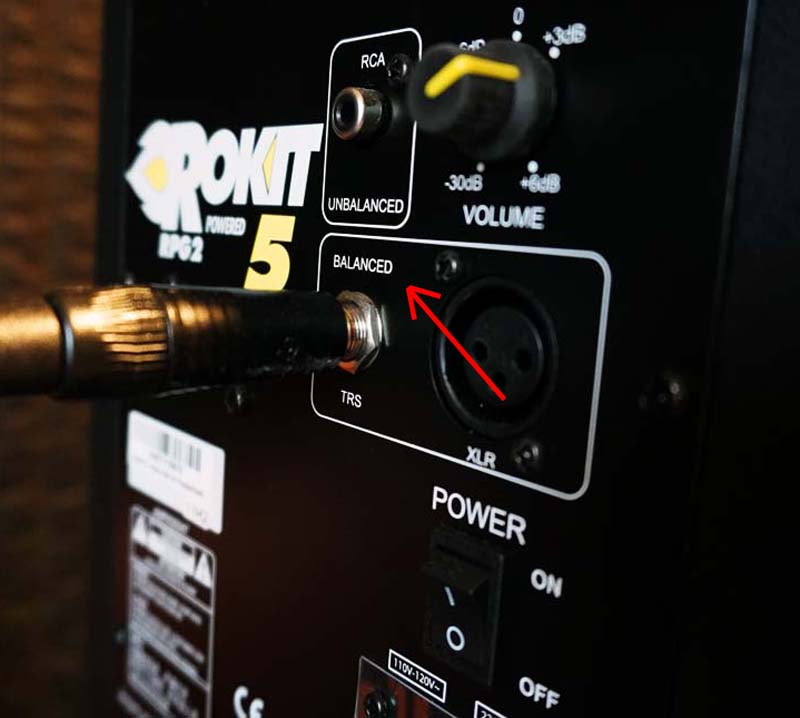
Unbalanced Cables: Also referred to as “Tip-Sleeve” cables, or “TS” cables. Unbalanced cables have two conductors: 1x signal wire and 1x ground wire. Instrument cables are normally unbalanced cables. For example, when you plug your guitar into your amplifier, you should be using an unbalanced, or TS, cable.
CHECK ALL POWER CABLES
If the hum persists after ensuring you are using balanced cables to connect to your audio interface, try checking all of the power cables that power each piece of equipment in the signal chain.
You might like: Home Recording Without a Computer
One thing I’ve found over the years is that if you substitute a piece of gear’s stock/factory power cable for a generic one, some noise may be introduced into the situation. So, make sure that each piece of gear is operating with the power cable that came with it. If you are like me, you’ve accumulated “a few” pieces of gear that have similar power cables. If this is the case, it’s easy to mix-and-match power cables that can potentially cause unwanted noise/hum issues if you interchange them during operation.
TRY USING AN UPS, OR POWER CONDITIONER
Another alternative is to invest in a UPS (Uninterrupted Power Supply), or power conditioner. Some UPSs will also have power conditioning capabilities, but can be quite costly.
Depending upon who you talk to, the best option would be to plug everything straight into its own wall outlet, but that’s not all that feasible in most cases. The next best thing is to plug everything into the best “power strip” you can.
I definitely recommend using, at minimum, a UPS to plug your important gear into. Not necessarily for the uninterrupted power purposes, but because they usually have better surge protection than your standard power strips. Of course, most good ones cost under $100, but they’re well worth it.
A power conditioner will usually cost quite a bit more than a UPS, but it can regulate the power used by each piece of gear plugged into it. Of course, most have surge protection as well.
There’s no guarantee that either a UPS or a conditioner will do the job. So, please don’t purchase unless you’re OK with having to either take it back or use it for another purpose if this doesn’t stop the humming in your monitors.
ALTERNATE WALL OUTLETS
If you do have a few pieces of gear (like your monitors, if they require a power cable) plugged into their own wall outlet, try combining them on the same wall, or if they already are combined on the same wall… separate them to see if there is a change.
I plug my monitors into the wall (on two different wall outlets) and the rest of my gear into a UPS -just to be sure; however, once I changed out my unbalanced cables for balanced cables, the hum went away.
THE HUM ELIMINATOR
A hum eliminator, such as the Ebtech Hum X, is designed to eliminate unwanted voltage and current in the ground line, helping to reduce, or totally get rid of any ground hum that may be present. It enables a safer, more secure ground line for whatever three-prong device is plugged into it.
USE THE PROCESS OF ELIMINATION
To make sure it’s the monitors and not some other part of your home studio setup, try mixing or playing some piece of audio just in your headphones. If there’s no hum, then at least you know most everything else is working fine.
If you have some outboard gear that you like to use in most situations, remove it for the time being to see if the hum goes away.
If you have another audio interface, try using it instead to see if the hum is still there.
Etc. Etc. Etc. ….
IN CONCLUSION
A hum coming from your monitors is annoying, but doesn’t necessarily mean it will affect your recordings, except for the fact that you are not able to hear the mix as effectively as you would like. Other than that, the hum shouldn’t be present in the result…
Until Next Time…

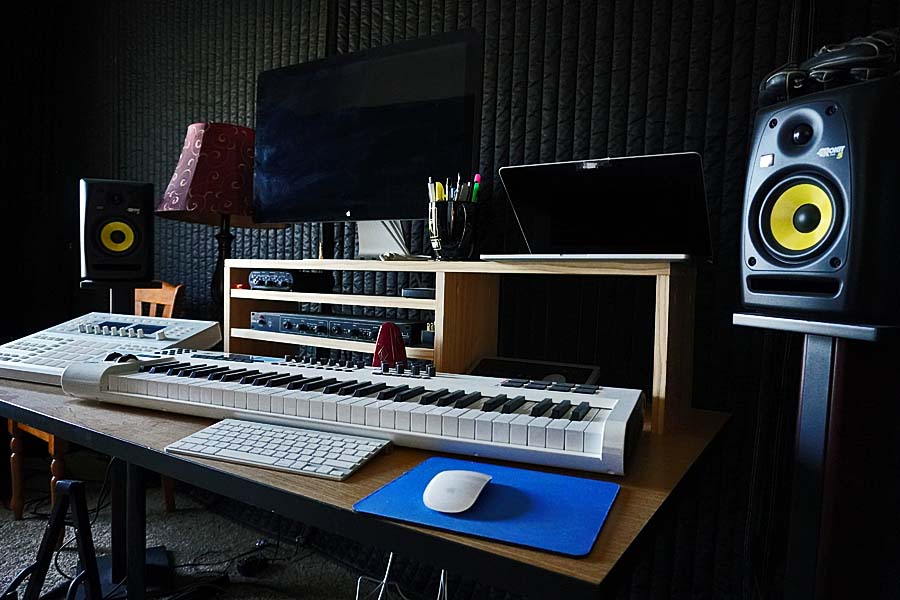
Featured Image: My Rokit 5 Monitors. I like them. No, they’re not top of the line, but hey… they work well enough. Remember to try more than one set of speakers when you’re mixing…